Troubleshooting SoundCloud Login Issues: A Comprehensive Guide
Common SoundCloud login issues

Struggling to access your favorite tunes on SoundCloud? You’re not alone. Many users encounter common login issues that can be frustrating to deal with. One of the most frequent problems is entering incorrect login credentials.
Whether it’s a forgotten password or mistyped username, this simple mistake can prevent you from accessing your SoundCloud account.
Another common issue users face is difficulties in resetting their password. If you’ve forgotten your password or are unable to reset it through the usual methods, it can be a real headache. Fear not, though, as there are steps you can take to regain access to your account.
Using social media to log in to SoundCloud can also lead to complications. Sometimes, the integration between your social media account and SoundCloud may not work as expected, causing login errors. This can be frustrating for users who prefer the convenience of logging in with their social media credentials.
By being aware of these common login issues, you can troubleshoot them more effectively and get back to enjoying your favorite music on SoundCloud without any interruptions.
Troubleshooting Incorrect Login Credentials
There are simple steps you can take to troubleshoot troubles logging into your SoundCloud account due to incorrect login credentials and resolve it.
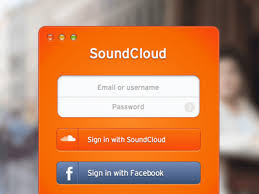
First, check that you are entering the correct username and password. Ensure that your Caps Lock key is off and that there are no extra spaces in either field. Sometimes, a simple typing error can cause login problems.
If you are sure that you are using the correct login information but still can’t access your account, try resetting your password. Click on the “Forgot password?” link on the login page and follow the instructions to reset your password. Once you have a new password, try logging in again.
It’s also possible that your account may have been compromised, leading to login issues. If you suspect unauthorized access to your account, change your password immediately and enable two-factor authentication for added security.
By following these troubleshooting steps, you should be able to resolve incorrect login credentials issues and regain access to your SoundCloud account. After logining into your SoundCloud account, you can use SoundCloud Music Downloader to convert that music you like for offline listening from SoundCliud app.
Resetting password for SoundCloud account
If you’ve found yourself locked out of your SoundCloud account due to a forgotten password, don’t worry - resetting it is a straightforward process. To begin, navigate to the SoundCloud login page and select the “Forgot password?” option. You’ll be prompted to enter the email address associated with your account, and SoundCloud will send you an email with a link to reset your password.
Once you’ve received the email, click on the link and follow the instructions to create a new password for your account. Be sure to choose a strong, unique password that includes a combination of letters, numbers, and special characters to enhance security. After confirming your new password, you’ll be able to log back into your SoundCloud account and resume enjoying your favorite music and podcasts.
It’s important to note that password resets are necessary if you suspect that your account has been compromised or if you simply can’t recall your current password. By following these simple steps, you can regain access to your SoundCloud account and continue exploring the platform’s vast library of audio content hassle-free.
Using social media to login to SoundCloud
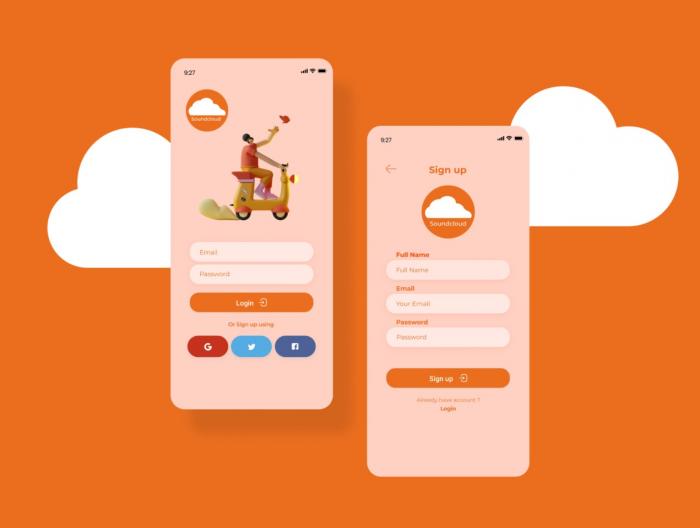
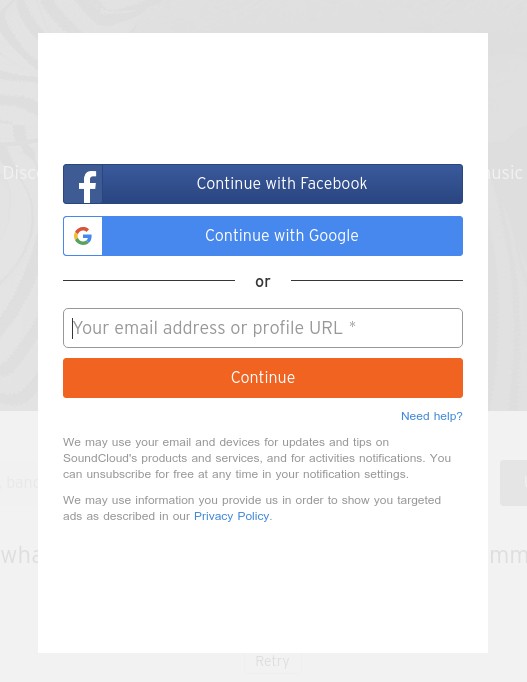
Using your social media accounts to log in to SoundCloud! By linking your Facebook, Google, or Apple account to your SoundCloud profile, you can simplify the login process and save yourself the hassle of remembering yet another set of credentials.
To start using social media to log in to SoundCloud, simply navigate to the login page and select the option to log in with Facebook, Google, or Apple. You will be prompted to enter your social media login information, and once verified, you will be granted access to your SoundCloud account.
Not only does using social media for login make the process more convenient, but it also enhances the security of your SoundCloud account. By leveraging the security measures of established social media platforms, you can rest assured that your account is protected from unauthorized access.
Additionally, logging in with social media allows you to easily connect with your friends and followers on SoundCloud. You can quickly find and follow your social media contacts who are also using SoundCloud, making it easier to discover new music and engage with your favorite artists.
In conclusion, using social media to log in to SoundCloud is a convenient, secure, and efficient way to access your account. Say goodbye to password fatigue and hello to a seamless login experience with just a few clicks.
Troubleshooting SoundCloud App Login Problems
Are you having trouble logging into your SoundCloud account using the mobile app? Don’t worry, you’re not alone. Many users face issues with app login, but there are some common solutions that can help you resolve them quickly and get back to enjoying your favorite music.
One of the most prevalent issues with the SoundCloud app login is invalid credentials. If you’re sure you’re entering the correct username and password but still can’t log in, try resetting your password. You can do this by clicking on the ‘Forgot password?’ link on the login screen and following the instructions provided.
Another common problem is network connectivity issues. Make sure you have a stable internet connection before trying to log in to the app. If you’re using mobile data, try switching to a Wi-Fi network to see if that resolves the problem.
If you’re still unable to log in, try restarting the app or your device. Sometimes, a simple reboot can fix minor glitches that are preventing you from accessing your SoundCloud account.
If none of these solutions work, you may need to contact SoundCloud support for further assistance. They can help you troubleshoot the issue and get to the root of the problem, ensuring that you can access your account with ease.
Don’t let technical issues stand in the way of your listening experience – tackle them head-on and get back to grooving to your favorite tunes on SoundCloud.
Resolving Two-Factor Authentication Issues
Two-factor authentication is an essential security feature that adds an extra layer of protection to your SoundCloud account. However, sometimes users may encounter issues when trying to log in due to problems with two-factor authentication. Here are some common solutions to resolve these issues:
- Check Your Device Settings: Make sure that the date and time settings on your device are accurate. If they are incorrect, it may cause problems with the two-factor authentication process.
- Verify Your Phone Number: Double-check that the phone number linked to your SoundCloud account is correct. Sometimes, users may input the wrong number, leading to authentication issues.
- Generate Backup Codes: SoundCloud provides users with backup codes that can be used to log in if they are unable to receive the two-factor authentication code. Make sure to generate and store these codes in a safe place.
- Contact SoundCloud Support: If you have tried the above steps and still cannot log in due to two-factor authentication issues, reach out to SoundCloud support for further assistance. They may be able to help you troubleshoot the problem and regain access to your account.
By following these steps, you can effectively resolve two-factor authentication issues and ensure the security of your SoundCloud account. Remember to stay vigilant and proactive in addressing any login problems that may arise.
Troubleshooting Account Verification Problems
Account verification is crucial for maintaining security and proving your identity on the platform. If you are experiencing issues with the verification process, don’t worry, as we have some troubleshooting tips to help you out.
One common problem users face with account verification is not receiving the verification email from SoundCloud. If this happens to you, first, check your spam or junk folder to ensure that the email hasn’t been filtered out. If you still can’t find the email, try requesting another verification email from SoundCloud. Make sure to double-check the email address associated with your account for any typos.
Another issue that users encounter is entering the verification code incorrectly. When you receive the verification code, make sure to enter it accurately and without any extra spaces. If you continue to have trouble with entering the code, try copying and pasting it directly from the email to avoid any mistakes.
If you are still unable to verify your account after following these steps, contact SoundCloud’s customer support for further assistance. They will be able to help you troubleshoot the verification process and ensure that your account is successfully verified.
Troubleshooting browser compatibility for SoundCloud login
To loge into your SoundCloud account, browser compatibility can sometimes be a pesky issue. If you’re experiencing difficulties logging in using your preferred browser, fear not – there are a few troubleshooting steps you can take to resolve the issue.
First and foremost, make sure that you are using a supported browser. SoundCloud recommends using the latest versions of Google Chrome, Mozilla Firefox, Safari, or Microsoft Edge for the best login experience. If you’re using an older or less common browser, you may encounter compatibility issues that prevent you from accessing your account.
If you are using a supported browser and still experiencing problems, try clearing your browser’s cache and cookies. Sometimes, stored data can conflict with the SoundCloud login process, causing login errors. By clearing your cache and cookies, you can refresh your browser and potentially resolve the compatibility issue.
Another troubleshooting step you can take is to disable any browser extensions or add-ons that may be interfering with the SoundCloud login process. Extensions designed to enhance your browsing experience can sometimes have unintended consequences when it comes to logging into certain websites. Try disabling these extensions one by one to identify the culprit and regain access to your SoundCloud account.
Recovering a hacked SoundCloud account
Finding out that your SoundCloud account has been hacked can be a very distressing experience. However, there are steps you can take to recover your account and secure it from further unauthorized access.
The first thing you should do if you suspect that your SoundCloud account has been hacked is to change your password immediately. Make sure to use a strong and unique password that includes a combination of letters, numbers, and special characters. This will help prevent the hacker from accessing your account again.
Next, contact SoundCloud’s customer support team to report the hack. They will be able to assist you in recovering your account and restoring any lost or compromised data. Provide as much information as possible about the hack, such as when you first noticed the suspicious activity and any emails or messages you may have received from the hacker.
In some cases, SoundCloud may temporarily lock your account to prevent further unauthorized access. This is a security measure to protect your account while they investigate the hack. Be patient during this process, as it may take some time to fully recover your account.
Once your account has been secured, take the time to review your security settings and enable any additional security features that SoundCloud offers, such as two-factor authentication. This will add an extra layer of protection to your account and help prevent