Summary of how to download Prime Video and what to look out for
What is Prime Video?
Prime Video is a video delivery service for Amazon Prime members. It offers a wide range of genres and multiple languages, with a focus on movies, dramas, and animations.
Prime members can watch videos at no additional charge. In addition, Prime Video also offers original content, which has gained popularity around the world.
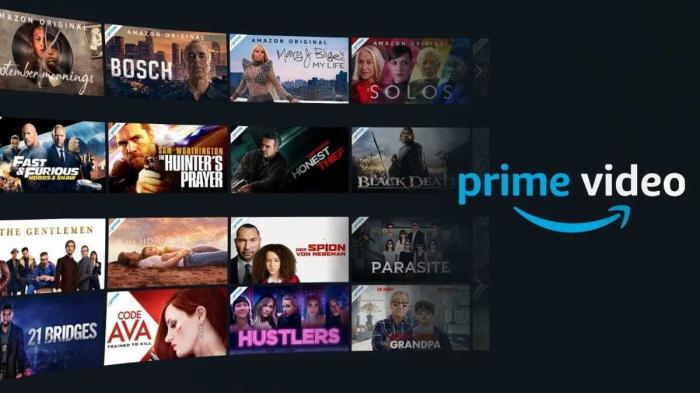
A unique feature of Prime Video is that it can be viewed both online and offline. With the download function, you can enjoy your favorite movies and dramas even when there is no Internet connection.
In addition, Prime Video is multi-device compatible, so you can watch on your PC, smartphone, tablet, or any other device of your choice. You can enjoy content at your own pace anytime, anywhere.
Prime Video offers a wide variety of attractive content, including the latest movies, popular dramas, and original content. Since it is offered in a variety of genres and languages, users can enjoy it according to their tastes and preferences.
Now, discover a new world of entertainment with Prime Video! Don't forget that Prime members can not only enjoy, but also easily download and watch offline.
Why download Prime Video?
Prime Video is a very popular online subscription service offered by Amazon. Especially for fans of movies and dramas, Prime Video is a very convenient and accessible way to watch them. The Prime Video download feature offers the following advantages
Offline viewing is available
With Prime Video's download function, you can enjoy movies and dramas anytime and anywhere without an Internet connection. For example, you can watch your favorite content even when you are not connected to Wi-Fi, such as during long airplane or train rides.
Save on Data Usage
Streaming requires a large amount of data traffic, but you can save a lot of data usage by downloading and then watching. The download feature is especially useful when you are using mobile data or have a limited data plan.
Comfortable playback environment
By playing back downloaded content regardless of the stability or speed of the Internet connection, problems such as buffering and poor picture quality during streaming playback are avoided. A smooth viewing environment is realized.
With the download function, you can enjoy Prime Video anytime without relying on an Internet connection. You can also watch downloaded content anytime within the download period. Make good use of the Prime Video download function and enjoy movies and dramas at your favorite timing and environment.
Now that we have introduced the benefits of Prime Video downloading, the next section will explain in detail what you need to do before downloading. Enjoy!
Preparation needed before downloading Prime Video
Before downloading Prime Video, you will need to prepare a few essentials. This will allow you to enjoy your favorite movies and series smoothly and easily.
Amazon Prime Membership:.
To download Prime Video, you must be an Amazon Prime member. Prime Video is offered as a benefit of Amazon Prime membership. If you do not have a membership, please sign up for Amazon Prime first.
Internet Connection:.
An Internet connection is required to download Prime Video. Please ensure you have a fast and stable Internet connection before downloading. This will increase your download speed and ensure that your movie or series will not be interrupted while streaming.
Storage Capacity:.
It is important that your device has sufficient storage space for downloads. Prime Video downloads movies and series directly to your device, so if you do not have enough storage space on your device, you will not be able to download them. Before downloading, please check your device's storage capacity and create free space if necessary.
Once you have met these requirements, you can begin downloading Prime Video, and as an Amazon Prime member, you can enjoy your favorite movies and series offline. Take advantage of the convenient download feature and enjoy your entertainment anytime, anywhere.
Note: Downloaded content may be automatically deleted after a certain period of time. If you wish to keep your downloaded content permanently, please check and manage your storage regularly.
This completes the "What You Need Before Downloading" section. Next, we'll walk you through how to download Prime Video on your computer. Enjoy!
Steps to download Prime Video on your computer
Prime Video is a video subscription service that offers movies, dramas, and original content offered as an Amazon Prime membership benefit. However, this content can only be viewed in an environment with an Internet connection. However, if you download it to your computer, you can watch it offline.
The advantages of downloading Prime Video on your computer are as follows
- If you download Prime Video to your computer for offline viewing, you can enjoy movies and dramas even without an Internet connection. You can watch your favorite content even on long flights or when you have a limited connection.
- Save data traffic: Movies and dramas downloaded to your computer can be viewed without an Internet connection, saving data traffic. This is especially recommended for those who want to enjoy high quality content and have communication limitations.
Now, to download Prime Video to your computer, follow these steps
- Download the Amazon Prime app: First, download and install the Amazon Prime app on your computer. The app can be downloaded from Amazon's official website.
- Log in: Once you launch the Amazon Prime app, log in with your Amazon account. If you are not a Prime member, you must first sign up for a Prime membership.
- Search for content: Search for your favorite movies and dramas in the app and select the content you want to watch.
- Find download options: Go to the content details page and look for the download button or option. Depending on your device, you may see a download icon.
- Start downloading: Click the download button and wait for the download to begin. Download speed will vary depending on the speed of your Internet connection.
- View downloaded content: Once the download is complete, you can view the downloaded content in the menu or library.
That's it for downloading Prime Video on your computer. This way you can enjoy your favorite movies and dramas anytime, anywhere.
If you have any trouble downloading, please refer to the help page on the official website or contact Amazon Customer Support.
How to download Prime Video on your smartphone
Here are the steps to download Prime Video to your smartphone. Prime Video is available for offline viewing, so you can enjoy your favorite movies and dramas even when you don't have an Internet connection.
Step 1: Download and Install the Prime Video App
First, download and install the Amazon Prime Video app on your smartphone. Search for "Prime Video" in the app store (Google Play Store or Apple App Store) and tap the "Download" button once you find the app. Once installed, open the app.
Step 2: Log in to your Amazon Prime account.
Once you open the Prime Video app, log in with your Amazon account. If you do not already have an account, please sign up for a new one and create one.
Step 3: Download Prime Video
Once logged in to the "Prime Video" app, locate the video you wish to download. You can search for a movie or drama title, or choose from a list of recommendations.
Once you find a video, tap the "Download" button that appears on the screen. Depending on the size of the video, it may take a while to download, so please be patient.
Step 4: Check the downloaded video
After the download is complete, go to the home screen of the Prime Video app and confirm that the downloaded video is displayed. From here, you can watch the video offline.
Step 5: Offline viewing
To watch a downloaded video, tap the downloaded video on the Prime Video app home screen to play it. You can enjoy the video whenever you want, even without an Internet connection.
These are the steps to download Prime Video on your smartphone. Take advantage of Prime Video's download feature and enjoy the most immersive movies and dramas anytime, anywhere.
Please note: In order to use the Prime Video download feature, you may only be able to download certain movies. Please note that after a certain amount of time, downloading may become unavailable.
If you experience problems downloading or have any other questions, please visit Amazon's Help Center or contact us via our Contact Form.
This concludes our summary of download instructions for enjoying Prime Video on your smartphone.
What to do if you are unable to download Prime Video
Prime Video is a convenient streaming service, but there are times when you may not be able to download it. Fortunately, there are a few simple steps you can take.

Check your network connection
Downloading Prime Video requires a stable Internet connection; if your Wi-Fi connection is spotty, try connecting to a different Wi-Fi network or using a data connection.
Update the Prime Video app to the latest version
If your version of the Prime Video app is out of date, you may not be able to download it. Please update to the latest version from the appropriate app store.
Check your device's capacity
It is important that you have enough space on your device to download Prime Video. Please check your device settings and make sure you have the necessary space. If there is not enough space, consider deleting unnecessary files and apps to free up space.
Clear the app cache
If the Prime Video app cache is clogged, you may not be able to download the app. Try clearing the cache by going to your device's settings, opening the list of apps, and selecting the Prime Video app.
Check your account information
You must have the correct account information to access Prime Video. Log in to your account and verify that your settings and profile information are correct.
Use professional Amazon download software
If none of the above methods solve the problem, try professional Amazon Prime download software. Professional download software offers the best download performance and allows you to easily crack, download, format, etc. Amazon Prime Video resources, video clarity and sound quality are kept at their best and still far superior to free online download services. service and still far superior to free online downloads.

If you are still unable to download after trying the above methods, please contact Prime Video customer support.
How do I change the location of my downloaded Prime Video files?
When you download a Prime Video file, it is automatically saved to a specific default location. By changing the save location, you can save the video in a more convenient location and watch it more efficiently.
Below are instructions on how to change the save location of your Prime Video download files.
How to change the save location of a Prime Video on your PC
- Open the detail page of the video you want to download.
- Click on the "Download" option.
- Locate and click on the "Destination" or "Save Location" option.
- Open File Explorer and specify the new save location.
- Select the new save location and click the "OK" button.
You have now changed the location of your Prime Video download files. The new save location will store the downloaded videos.
How to change the save location of a Prime Video on your smartphone
- Open the detail page of the video you want to download.
- Tap Download Options.
- Locate and tap the "Save to" or "Save Location" option.
- Open the File Manager application and specify the new save location.
- Select the new save location and tap the OK button.
You have now changed the location of your Prime Video download file. Your downloaded videos will be saved in the new save location.
Note: When changing the location of your download files, please pay attention to the capacity of your device's internal storage or SD card. If there is insufficient space, check the storage capacity before selecting a new location.
By changing the location of your Prime Video download files, you can save your videos in a more convenient location and watch them offline at any time. We encourage you to try the steps above.
In this article, we have introduced the basic steps to change the location of your Prime Video download files. Please note that the procedure may differ depending on your device and situation.
How to watch downloaded Prime Video offline
With Prime Video, you can download your favorite movies and dramas for offline viewing. The Prime Video download feature is especially useful in places with limited Internet access or when traveling. Learn how to watch downloaded videos offline.
First, open the Prime Video application and select the video you wish to download. Go to the video's detail page and tap the Download button. Tap it and the download will begin. The progress of the download will be displayed on the screen, so wait until it is complete.
Once the download is complete, you will need to go to the "Downloaded Videos" section within the app to watch the video offline. Tap "Downloads" or "Saved Videos" in the bottom menu of the app. A list of downloaded videos will appear.
From here, select a specific video and tap to play. Tap to play the video. No Internet connection is required at this time, so you can watch offline without stress.
Note that downloaded videos cannot be played on any app or player other than Prime Video, so be sure to play them within the Prime Video app.
There are several limitations to the Prime Video download feature. First, there is a limit to the number of videos that can be downloaded at one time. Also, please note that downloaded videos are automatically deleted after a certain period of time.
This is how to watch downloaded videos offline on Prime Video. Please take advantage of this feature and enjoy your favorite videos offline without stress.
Frequently asked questions about the Prime Video download feature
Here are answers to some frequently asked questions about the Prime Video download feature.
How long can I watch the downloaded videos?
Videos downloaded through Prime Video can generally be watched offline for 30 days from the start of viewing without expiration. However, once you start watching a video, you can watch it as many times as you like within the remaining 48 hours before you have to stop watching it again.
On which devices is the Prime Video download feature available?
The Prime Video download feature is available on all major devices. You can use it on your computer, smartphone, tablet, or any other device. Once downloaded, you can enjoy your videos anytime, anywhere.
Do I need an Internet connection to download Prime Video?
To download a video on Prime Video, you must first have an Internet connection. Downloading requires data to temporarily store the video. However, you do not need an Internet connection to view the downloaded video. You can enjoy the video offline.
Do I need to be a Prime member to use the Prime Video download feature?
Yes, you must be a Prime member to take advantage of the Prime Video download feature. Prime Video is offered as part of Amazon's Prime membership benefits, and Prime membership provides access to a variety of benefits, including the download feature.
How much storage space do I need to download Prime Video?
The file size of the video you are downloading depends on the length and quality of the video, but typically ranges from a few hundred MB to several GB. Please check the storage capacity of your device before downloading. Please make sure you have sufficient storage space before you begin downloading.
These are the frequently asked questions about the Prime Video download feature. Enjoy your favorite videos anytime, anywhere with the Prime Video download feature.
How to download Prime Video
Prime Video is a popular streaming platform that offers a wide variety of entertainment content, including topical movies, dramas, and original content. However, an Internet connection is not always required. With the download feature, you can watch offline.
Downloading Prime Video offers the following benefits
1. offline viewing
You can enjoy previously downloaded videos even when there is no Internet connection. You can enjoy your favorite programs and movies even when you cannot connect to the Internet, such as on trains and airplanes.
2. Data Communication Volume Savings
Streaming consumes data traffic. Downloading and then watching saves data traffic. The download function is especially useful if you subscribe to a plan with communication restrictions or if you need to be concerned about data charges.
3. Improved viewing environment
In places where Internet connection speeds are slow or unstable, video viewing can be stressful. However, with the download function, videos can be viewed smoothly regardless of the connection speed.
Before downloading Prime Video, you will need the following
- A device (computer or smartphone) with the Prime Video application installed
- A Prime Video membership or subscription
- Sufficient storage space for downloading
Downloading Prime Video on a computer is easy. Launch the "Prime Video" application, select the content you wish to download, and click the "Download" button. The downloaded video will automatically be saved to the storage location you specified.
The process for downloading Prime Video on a smartphone is similar. Launch the "Prime Video" application, select the content you wish to download, and tap the "Download" button. The downloaded video will also be saved to the location you specified.
If the download does not work, please try the workaround below.
- Check to see if there is an unstable Internet connection in your area.
- Check to see if your device has sufficient storage space.
- Update the Prime Video app to the latest version.
You can also change the location where download files are saved. You can organize your download files by specifying the storage location in the settings.
With these steps, you can download and watch Prime Video content anytime, anywhere. Enjoy your favorite movies and dramas!
The above is a summary of how to download Prime Video. Prepare what you need and follow the instructions to download. You can enjoy it offline without any stress. We hope you will take advantage of the Prime Video download feature and enjoy the best viewing experience.