The Best 8 AI Background Generators for Making Creative Photos
Artificial Intelligence (AI) continues to revolutionize various sectors of our daily lives, and the field of digital design is no exception. One of the exciting new innovations born from this AI-driven digital evolution is the AI background generator, a unique tool that allows designers and non-designers alike to create eye-catching, custom-made backgrounds with unparalleled ease and efficiency.
The AI background generator is a game changer, as it simplifies the design process significantly. With this revolutionary tool, creating stunning and professionally designed backgrounds doesn’t require expert skills, making it accessible to everyone. Join us as we reveal the intricacies of the AI background generator and its growing impact on the design world.
What is an AI Background Generator?
To begin with, an AI background generator is a program that uses artificial intelligence to create custom backgrounds for photographs. This technology enables users to replace or enhance the background of a photo without the hassle of manual editing. This type of background generator saves time and produces high-quality images.
Next, the AI technology in an AI background generator uses algorithms to recognize and differentiate the foreground from the background of any photo. This feature makes it easy to isolate and change the background while leaving the subject or object in the foreground intact. This is why the AI background generator is becoming the go-to tool for photo editing.
The last aspect to consider about an AI background generator is its versatility. It can generate a wide range of backgrounds for different kinds of photos. Whether you need a serene sunset for a portrait or a bustling cityscape for an urban-themed shot, the AI background generator has got you covered.
Overview Table of the AI Background Generator Comparison
| AI Background Generator | Output Quality | User-friendliness | Suitable for |
|---|---|---|---|
| Photoroom | High | Easy to use | Content creators, photographers, designers, etc. |
| Cutout.pro | Moderate | Moderate | Website designers, graphic artists, etc. |
| CreatorKit | High | Easy to use | Social media content creators, etc. |
| VanceAI | High | User-friendly | People needing image enhancement, designers, etc. |
| Kittl | Moderate | Moderate | App developers, graphic designers, etc. |
| HitPaw | High | Easy to use | Bloggers, photographers, designers, etc. |
| ArtworFlow | High | Moderate | Animators, graphic artists, etc. |
| Wondershare | High | User-friendly | Professional designers, content creators, etc. |
8 Best AI Background Generators
Photoroom
Photoroom is an AI background generator that uses advanced algorithms to professionally edit photos. This specific AI platform makes it easy to remove, replace, and modify backgrounds in photos in just one tap.
Photoroom is ideal for a variety of users including marketing professionals, social media influencers, photo editors, and anyone interested in enhancing the quality of their images.
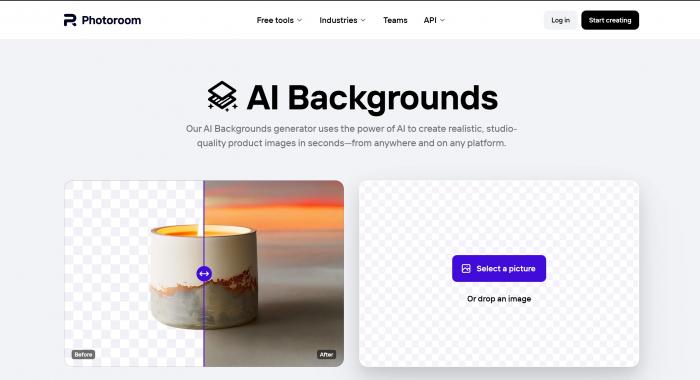
Its user-friendly interface combined with high-quality output makes it an excellent option for both professionals and amateurs. In terms of use, Photoroom offers a straightforward experience. Its AI works seamlessly to process images, though some more complicated images may need a bit of manual adjustment.
Features:
- AI-powered Removal: Photoroom uses Artificial Intelligence to precisely remove the original background from photos.
- Pro Templates: Offers pro templates to effectively redesign the background after removal.
- Quick Workflow: It allows the user to automatically ace batch editing in seconds, saving time in having to manually adjust the background.
Cutout.pro
Cutout.pro is an AI background remover and editor that excels in generating and replacing backgrounds in images. Designed for everyone from hobbyists to professional graphic designers, this handy AI tool can help simplify and accelerate the process of editing photos.
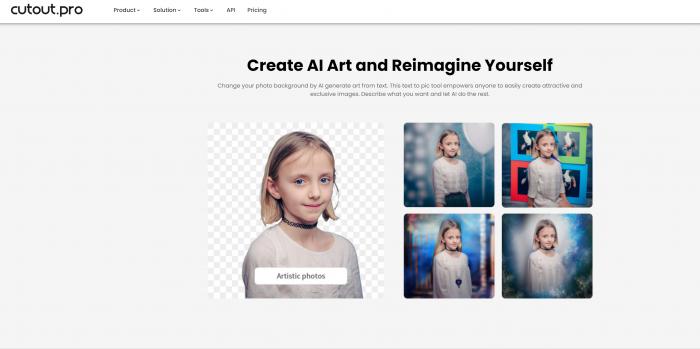
This software particularly shines in commercial use, where changing and removing backgrounds can be required frequently. Cutout.pro trades on its simplicity, offering a user-friendly experience with brisk processing even for larger files.
However, it could benefit from a wider range of editing tools to supplement the background-changing feature.
Features:
- Background Removal: Efficient in AI-assisted spline tool for detailed extractions, making it easy to quickly remove the background from your photos.
- AI Photo Editor: This platform also features an extensive AI photo editor for enhancing and designing images post background removal.
- Templated Backgrounds: Provides pre-built background templates to aid users in remodelling the images.
CreatorKit
CreatorKit is primarily a tool for creating high performing videos, but it also excels as an AI background generator. It’s perfect for social media managers, content creators, influencers, and business owners who often need to quickly and conveniently create or alter backgrounds.

The platform brings value in time saved, fostering high engagement rates with its stunning creations. CreatorKit simplifies the process of background creation by providing numerous templates and easy-to-understand mechanisms.
However, more advanced or specific design needs might not be met with its current set of tools.
Features:
- Customizable Backgrounds: CreatorKit offers customizable backgrounds with flexible sizes and orientation for any platform.
- Collaborative Interface: Allows teams to collaboratively design and generate backgrounds and content.
- Video Creation: In addition to static backgrounds, users can create and customize video backgrounds and animations.
VanceAI
VanceAI is an innovative online imaging tool that uses AI to edit photos, including replacing and creating backgrounds. Aimed at both photographers and casual users, this platform generates convincing results regardless of the user’s photographic expertise.

VanceAI can be a real time-saver by automating tasks that traditionally required hours in a photo editing software. Just note, while the AI does a decent job with simple objects and backgrounds, results may vary when dealing with complex scenes.
Features:
- Smart AI ERaser: VanceAI features a smart AI eraser that can efficiently remove the background from images.
- AI Restoration: This tool also has AI image restoration, which can be used after generating a new background to ensure the primary image retains high quality.
- Diverse Functions: Besides background removal, it offers image enlargement, denoising, enhancing and sharpening features.
Kittl
Kittl is an AI-powered background remover that offers a slightly different focus than typical background generators. The primary target market includes business owners, graphic designers, and photographers who often need to remove or replace backgrounds from images.
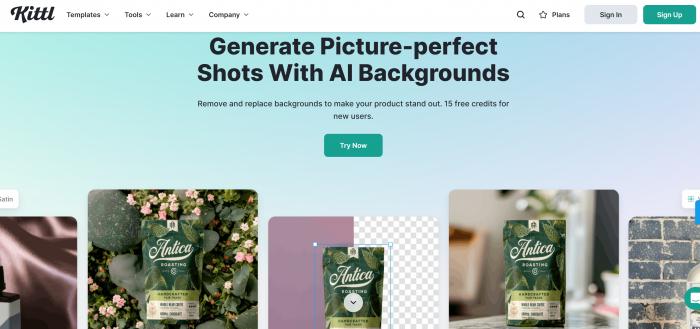
Kittl simplifies the process of background removal with a simplistic user interface, providing clear, crisp images within seconds. However, it currently lacks in features offering for precise manual editing or advanced post-processing controls.
Features:
- Customizable AI: Kittl allows users to train the AI based on specific needs, including background generation.
- Real-time Results: The kit features a real-time editor that enables users to see changes and modifications immediately.
- Compatibility with various formats: Kittl allows the import and export of various file formats including PNG, JPEG, TIFF among others for easy background generation and editing.
HitPaw
HitPaw is an excellent AI-based tool designed to generate and remove backgrounds in images. Primarily aimed at bloggers, marketing professionals, and social media managers, it’s a perfect option for those needing high-quality output with a convenient interface.
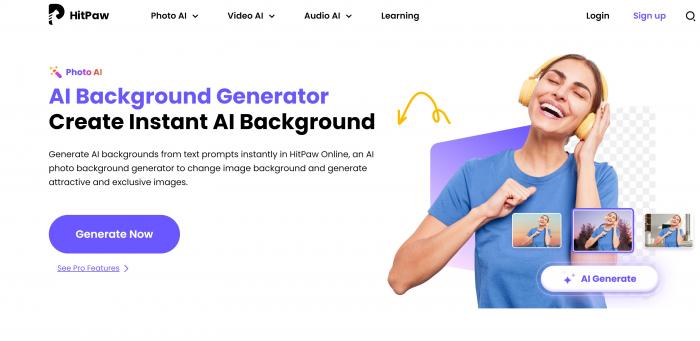
One of HitPaw’s notable features is its capacity to handle complex images effectively. However, there could be improvements in the flexibility and customization of the final product.
Features:
- User-friendly Interface: HitPaw features a simple, intuitive interface that makes it easy for users to generate or change the background of their images or videos.
- AI Photo Enhancer: It utilizes AI technology to automatically enhance the quality of the images - making the background and foreground more visually pleasing.
- Multiple Editing Tools: HitPaw offers a variety of tools for editing such as cropping, rotating, adding elements as well as changing the background.
ArtworkFlow
ArtworFlow is an AI-powered background generator that leverages innovative technology to create realistic backgrounds for images.

Suitable for graphic designers, photographers, and marketing professionals, this powerful tool simplifies tasks that would typically require skilful mastery of graphic design software.
While the platform delivers convincing results, it might be a bit challenging for beginners due to its relatively sophisticated interface.
Features:
- AI-based Content Creation: ArtworFlow uses AI technology to help generate highly creative and original content, including backgrounds.
- Interactive Designing: The platform allows users to interact with their designs and make adjustments in real time.
- Image Optimization: ArtworFlow features image optimization options that can help enhance and refine the quality of the backgrounds.
Wondershare
Wondershare combines a range of features - including an AI-based background generator - and is catered mostly towards professionals like photographers, designers, and marketers.

It simplifies background creation or replacement by automating complex processes. However, its extensive range of features may make it somewhat convoluted for occasional users. Therefore, while the results are excellent, it requires an investment of time and patience for a user to fully explore and benefit from.
Features:
- AI Scene Recognition: Wondershare uses AI to recognize different scenes in the videos and dynamically adapt the background to it.
- User-Friendly: Wondershare has a straightforward interface making it easy for users to select and modify their background according to their requirements.
- Extensive Library: It offers a wide range of pre-set templates and effects, that allows users to generate or change backgrounds with ease.
How to Choose the Right AI Background Generator
A. Factors to consider
Purpose and Tools: The first factor to consider in choosing the right AI background generator is the purpose behind needing it. For instance, is it needed for graphic design, video conferencing, photo editing, or app development? Different programs offer varying tools to accomplish your tasks. Thus, the intended use should guide your choice.
User-friendliness: The tool should be simple and easy to use, especially for individuals who are not tech-savvy. It should have a user-friendly interface and should not require complex coding or substantial experience in software development.
Quality and Accuracy: Select an AI background generator that offers a high level of precision and quality. The tool should accurately separate the object from the background and add a new one without distorting the image quality.
B. Tips for beginners
Start with Basic Tools: If you’re a beginner, do not go for complex tools with numerous features that may seem overwhelming. Start with basic AI background generator tools that are easy to understand and use.
Experiment and Learn: Feel free to experiment and play around with different tools available in your chosen background generator. This way, you’ll quickly understand how each tool works and determine which ones are most useful to you.
Seek Help and Tutorials: Many AI background generator tools have tutorials and a community of users. Engage with these resources and do not hesitate to ask questions whenever you’re stuck. These resources can provide useful tips and tricks that can improve your skills.
If you want to improve your image quality further, a photo enhancer can be the most effective tool.
Conclusion
AI background generators have remarkably revolutionized the approach to photo design and aesthetics in today’s era of rapid technological advancements. Providing a wide array of creative choices, these tools drive efficiency, quality, and uniqueness, all the while reducing the workload for photographers and designers. If appropriately selected and utilized, these AI tools can drastically elevate one’s creative output.
In order to fully harness their potential, it is crucial to make an informed choice based on one’s expertise, needs, and budget. Novices can benefit from free trial versions to explore these applications before investing. The best AI background generator integrates ease of use, flexibility, and robustness for an optimized design experience.
In summary, AI background generators provide a fresh, innovative approach to photo editing, languishing mundane and repetitive backgrounds. With the right tool at your disposal, you can express your distinct vision and create compelling and unique photos that stand out.